How to Build an AI BG Remover Online: Building Zu BG-Remover with Client-Side Vision

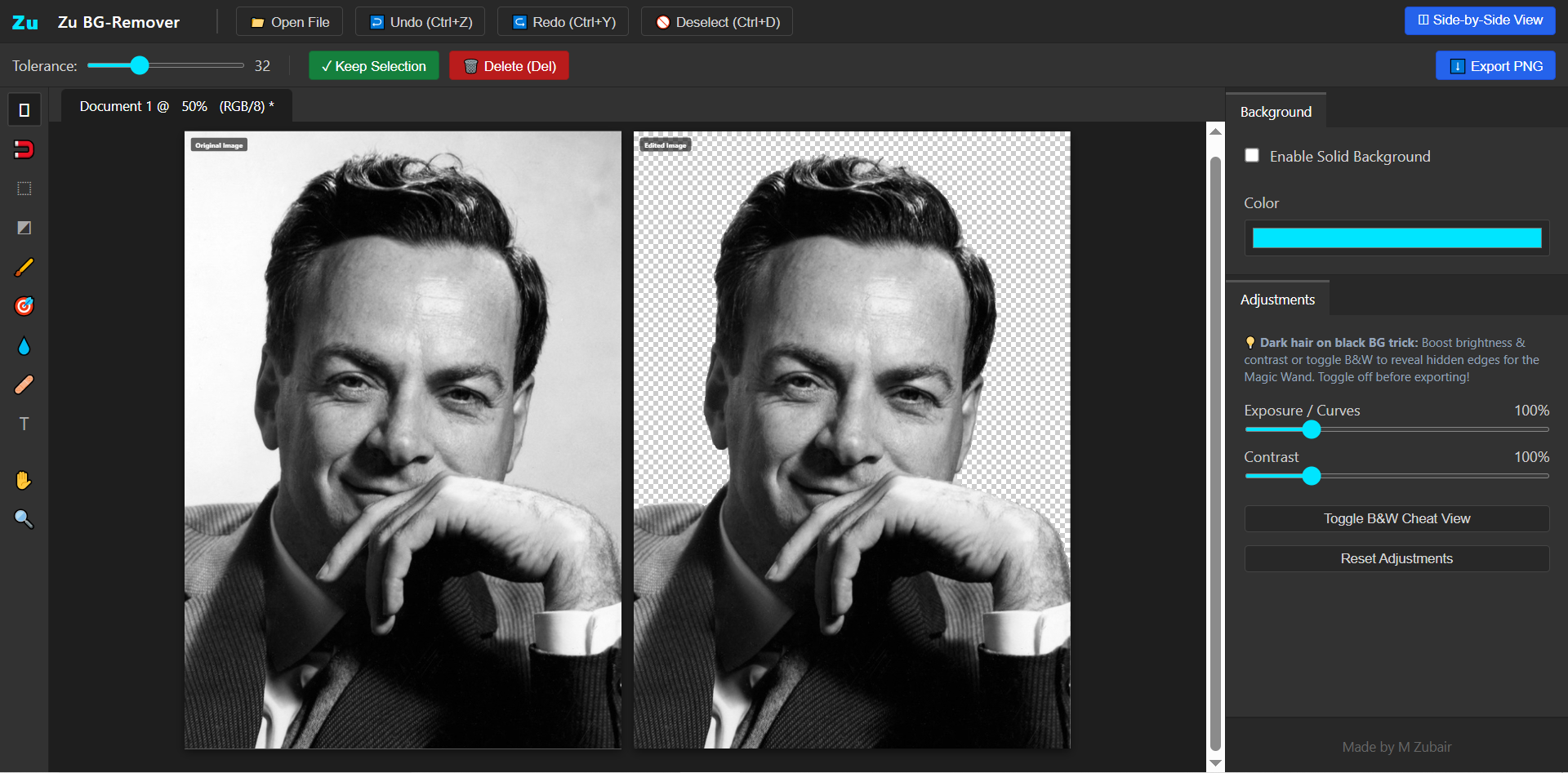 Zu BG-Remover: A lightning-fast, privacy-first background remover and canvas suite engineered by Muhammad Zubair.
Extracting subjects from photos and creating clean, transparent backgrounds is an essential workflow for e-commerce, digital design, and product photography. However, most free tools for bg remove online force users to upload private images to remote servers, queue behind paid tiers, or accept low-resolution downloads.
To solve this, Muhammad Zubair, a Software Engineer specializing in high-performance web systems and client-side machine learning, engineered Zu BG-Remover—a free, full-featured web studio that performs automated bg removal directly inside the user's browser.
Whether you are looking for a zero-cost utility for bg remove tasks or searching for how to make a bg remover that runs without cloud servers, this breakdown covers the complete client-side architecture.
How to Make a BG Remover: The Client-Side Architecture
When considering how to build a bg remover, most engineers instinctively rely on cloud APIs like Python FastAPI backends paired with heavy GPU containers. However, this introduces server bills, network latency, and privacy compliance risks.
Zu BG-Remover relies on a 100% decentralized client-side stack:
| Layer | Technology Used | Purpose |
|---|---|---|
| User Interface | Modern CSS3, Photoshop Design System | Precision desktop-grade studio interface and reactive toolbars |
| Inference Engine | Client-Side Neural Vision Runtime (Wasm) | Zero-latency on-device subject segmentation and category masking |
| Graphics Engine | HTML5 Dual-Canvas Contexts, TypedArrays | High-framerate alpha-masking, flood fills, and non-destructive filters |
| Edge Snapping | Custom Convolution Gradient Algorithms | Sub-pixel magnetic lasso contouring and color-similarity detection |
| Export Pipeline | Dynamic Off-Screen Render Target | HD PNG export with custom background colors and text overlays |
The Zero-Cloud Pipeline for Online BG Removal
Instead of uploading high-resolution imagery over the network, here is how an edge-first pipeline completes an instantaneous bg remove operation locally:
1. Client-Side Image Ingestion: The user selects a photo. The image is loaded directly into browser memory as a raw bitmap, maintaining complete original quality and zero upload delay.
2. In-Browser Neural Segmentation: An on-device vision model compiled to WebAssembly parses the frame, generating a binary classification mask separating human/product subjects from the background in milliseconds.
3. High-Speed Bitmask Compositing: The calculated mask maps straight onto a native
Uint8Arraybuffer, zeroing out background alpha channels while keeping foreground pixels untouched.4. Fine-Tuning & Retouching: For complex boundaries like wisps of hair, users can fine-tune results using Tolerance Magic Wands, magnetic edge snapping, and non-destructive restoration brushes.
Code Spotlight: Solving Edge-Case Complexities
1. High-Performance Gradient Edge-Snapping Algorithm
Automatic segmentation models occasionally struggle with low-contrast boundaries. To allow users to effortlessly trace precise cutouts, I engineered an algorithmic edge-snapping function. It evaluates local luminance gradients across neighboring pixels to mathematically attract the selection line to actual object boundaries.
// Analyzes local luminance matrices to pull anchor points to natural edges
function getSnappedEdgePoint(cx, cy, radius) {
    if (!cachedImageData) return { x: cx, y: cy };
    const w = mainCanvas.width, h = mainCanvas.height;
    let maxGrad = -1;
    let snapX = cx, snapY = cy;

    const startY = Math.max(1, cy - radius);
    const endY = Math.min(h - 2, cy + radius);
    const startX = Math.max(1, cx - radius);
    const endX = Math.min(w - 2, cx + radius);

    for (let y = startY; y <= endY; y++) {
        for (let x = startX; x <= endX; x++) {
            const getLum = (i) =>
                cachedImageData[i] * 0.299 +
                cachedImageData[i + 1] * 0.587 +
                cachedImageData[i + 2] * 0.114;

            // Convolution kernel: 3x3 directional luminance evaluation
            const tl = getLum(((y - 1) * w + (x - 1)) * 4);
            const tc = getLum(((y - 1) * w + x) * 4);
            const tr = getLum(((y - 1) * w + (x + 1)) * 4);
            const l  = getLum((y * w + (x - 1)) * 4);
            const r  = getLum((y * w + (x + 1)) * 4);
            const bl = getLum(((y + 1) * w + (x - 1)) * 4);
            const bc = getLum(((y + 1) * w + x) * 4);
            const br = getLum(((y + 1) * w + (x + 1)) * 4);

            const gx = (tr + 2 * r + br) - (tl + 2 * l + bl);
            const gy = (bl + 2 * bc + br) - (tl + 2 * tc + tr);
            const grad = Math.sqrt(gx * gx + gy * gy);

            const dist = Math.hypot(x - cx, y - cy);
            const score = grad - (dist * 5);

            if (score > maxGrad && grad > 30) {
                maxGrad = score;
                snapX = x;
                snapY = y;
            }
        }
    }
    return { x: snapX, y: snapY };
}
2. High-Speed Bitmask Masking with Sub-Pixel Interpolation
Manual brush corrections often create fragmented or "dotted" lines when drawn quickly. To deliver butter-smooth mask painting across high-resolution canvases, I implemented an interpolation engine paired with an optimized linear selection mask array.
// Interpolates continuous brush coordinates between discrete mouse ticks
function interpolateAndRun(actionFn, x1, y1, x2, y2, isInverse) {
    const distance = Math.hypot(x2 - x1, y2 - y1);
    const stepSize = Math.max(1, brushRadius / 2);
    const totalSteps = Math.max(1, Math.ceil(distance / stepSize));

    for (let step = 1; step <= totalSteps; step++) {
        const progress = step / totalSteps;
        const interpolatedX = Math.round(x1 + (x2 - x1) * progress);
        const interpolatedY = Math.round(y1 + (y2 - y1) * progress);
        actionFn(interpolatedX, interpolatedY, isInverse);
    }
}

// Applies changes to the flat 1D Uint8Array selection buffer
function runBrush(cx, cy, isInverse) {
    const w = mainCanvas.width, h = mainCanvas.height, r = brushRadius;
    const startX = Math.max(0, cx - r), startY = Math.max(0, cy - r);
    const endX = Math.min(w, cx + r), endY = Math.min(h, cy + r);

    for (let y = startY; y < endY; y++) {
        for (let x = startX; x < endX; x++) {
            if (Math.hypot(x - cx, y - cy) <= r) {
                selectionMask[y * w + x] = isInverse ? 0 : 1;
            }
        }
    }
    renderSelection();
}
Why Client-Side Matters for Free BG Remover Tools
Building a bg remover online without a cloud dependency redefines what is possible for modern web tools:
- Total Data Privacy: Personal portraits, business signatures, and confidential product mockups never leave the client's device.
- Zero Server Infrastructure Costs: Because all calculations happen client-side, the tool can serve millions of users without escalating server bills.
- Instant Processing: Without file upload or download latency, results render in milliseconds.
 About the Developer
I am Muhammad Zubair, a Software Engineer from Pakistan passionate about building high-performance, client-side AI systems and web applications that solve real-world productivity challenges.
About the Developer
I am Muhammad Zubair, a Software Engineer from Pakistan passionate about building high-performance, client-side AI systems and web applications that solve real-world productivity challenges.
- Live Application: Zu BG-Remover
- GitHub: Muhammad Zubair's Repositories
- Portfolio: mzubair.online